
Create a site
Applies to Enterprise Management
Create a site to organize devices by location or logical grouping.
Before you begin
Section titled “Before you begin”- In the left sidebar, select Sites.
- Select Add site in the top-right corner.
- Fill in the site details (see fields below).
- Select Save. The site is immediately available and appears in your Sites list.
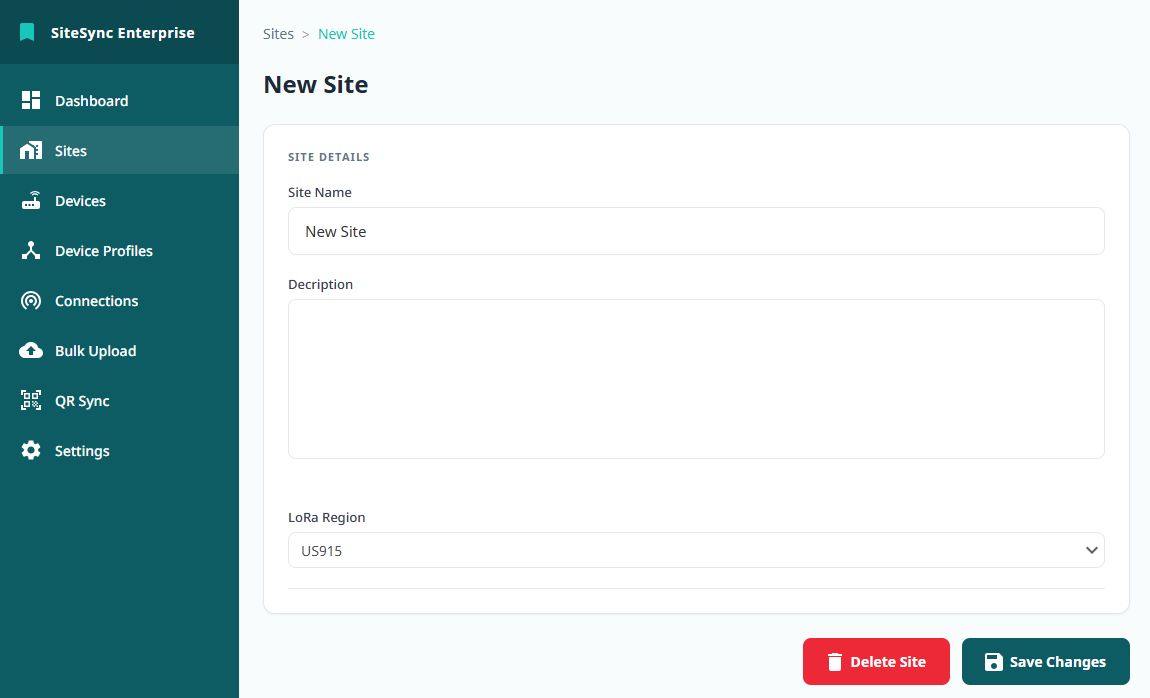
Fields
Section titled “Fields”| Field | Required | Description |
|---|---|---|
| Site name | Yes | A unique, human-readable name for the site. |
| Description | No | Free-text notes about the site. |
Expected result
Section titled “Expected result”The site appears in your Sites list and is available immediately. New devices can be assigned to it, and a matching device folder is created.
Verify
Section titled “Verify”- Open Sites and confirm the new site is listed.
- Open the site to confirm its details.